
1. 프롬프트 내부 아무 곳에나 text, english text 태그를 넣어준다.
2. 프롬프트의 맨 끝에 Text:텍스트 내용을 입력해준다.
ex)
1girl, solo, text, english text, spoken bubble, Text:Hi
참고
- 말풍선을 쓰고/빼고 싶다면 spoken bubble 태그를 이용한다.
- 텍스트를 여러 개 추가하고 싶다면 입력 줄을 분리한다.
- 자연어로 써도 된다.
공식 자연어 작성 예시)
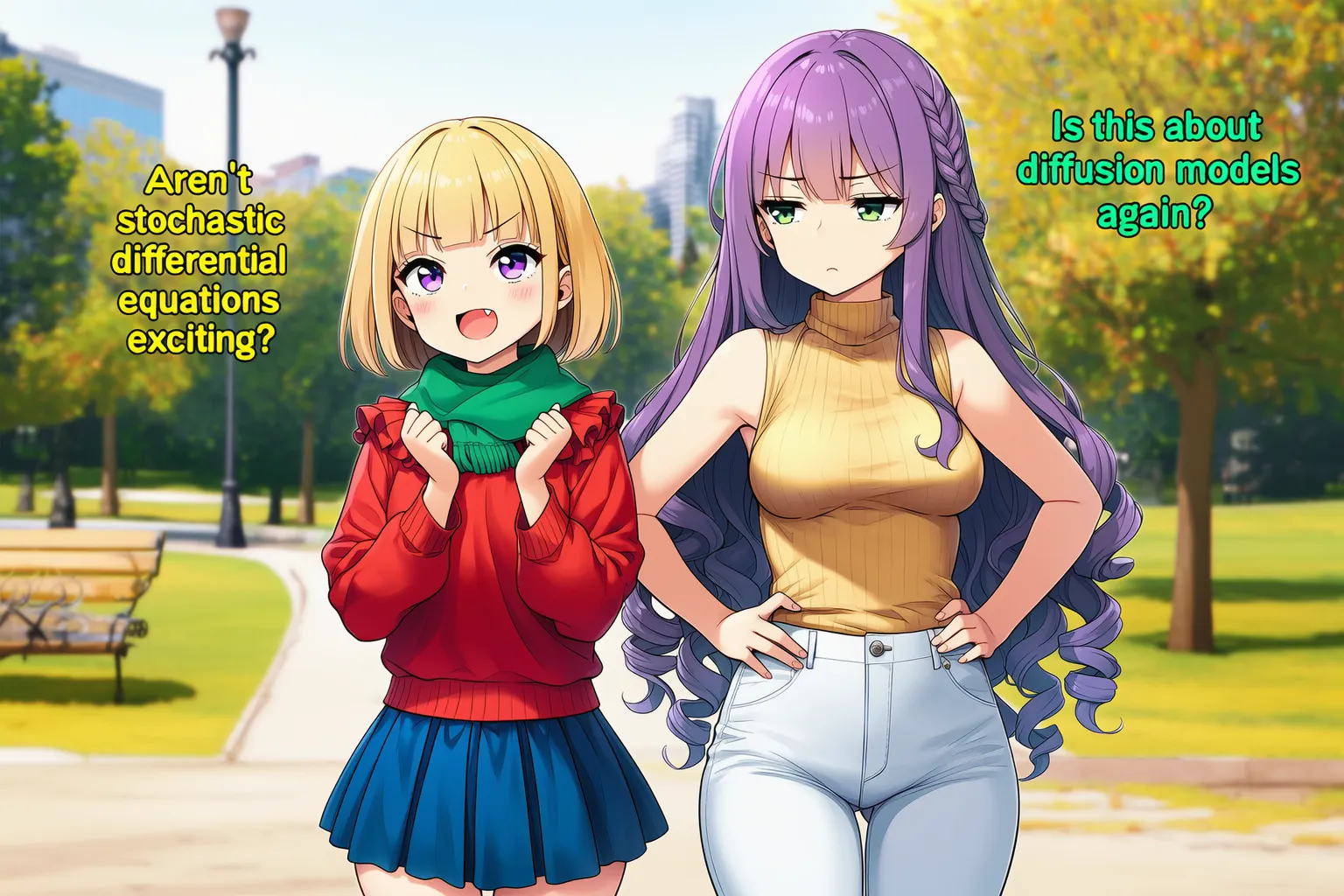
2girls, text, english text, location, park, cowboy shot, -1::speech bubble::, looking at another, masterpiece, best quality, rating:general. The blonde girl is excitedly asking “Aren’t stochastic differential equations exciting?” in yellow text and the purple haired girl is responding “Is this about diffusion models again?” in green text, a bored expression on her face. Text: Aren’t stochastic differential equations exciting?
Is this about diffusion models again?
| 1girl, purple eyes, short hair, ruffled blouse, red blouse, blonde hair, blue skirt, pleated skirt, green scarf, blunt bangs, fang, small breasts, long sleeves, bob cut
| 1girl, very long hair, purple hair, curly hair, golden shirt, full body, green eyes, white jeans, turtleneck sweater, hands on own hips, sleeveless turtleneck, side braid, medium breasts, sleeveless
'종합 팁' 카테고리의 다른 글
| 녹슨 색감을 완화하는 법 (0) | 2026.07.23 |
|---|---|
| NAI 생성에 관한 개인 팁들 (1) | 2026.07.06 |
| NovelAI 관련 자잘 팁 메모 (0) | 2026.07.01 |
| 종류별 이미지 생성 오류 없애는 법 (0) | 2026.06.08 |
| 캐주얼 / 반실사 그림체 농도를 조절하는 법 (0) | 2026.04.22 |